














A front-service LED cabinet is only part of a serviceable video wall. Before specifying a mounting frame, ask how the installer and the maintenance team will reach the components they need, and what has to move when a repair is necessary.
This checklist helps integrators prepare a mounting review. It is a planning aid, not an installation instruction or approval of a particular cabinet, structure or attachment.
1. Start with the exact cabinet
Record the LED manufacturer, model and cabinet dimensions. Gather the current mechanical drawings, mounting interface details and installation/service instructions. If the cabinet selection is still open, label it as proposed rather than treating a similar model as interchangeable.
Ask the display supplier which components can be serviced from the front and which procedures need additional access. Include modules, power supplies, receiving cards and cable connections in that conversation.
2. Walk through a future repair
Describe a realistic service visit: a technician arrives, identifies the fault, accesses the affected component and restores the display. What tools, working space and access equipment will that person need? Can a component be removed without disturbing adjacent finishes? Where will removed parts be handled?
For a display mounted high above the floor, include the route for access equipment and any restrictions on working in the occupied space. Ask who will approve the service method before the finished design makes changes difficult.
3. Review the wall and the frame together
Provide the proposed array layout, installation location and available structural information to the people responsible for the mounting design. Identify who will verify the supporting structure and specify its attachments. Do not substitute a cabinet count or a hardware estimate for that review.
Ask how the design will accommodate the site conditions and the display manufacturer’s alignment requirements. Keep those decisions tied to project drawings rather than assuming every wall and cabinet combination needs the same detail.
4. Give cables and equipment a service plan
Mark the intended locations of power, signal distribution and any separate equipment. Ask the relevant suppliers to confirm cable access, routing and environmental requirements. Check whether the enclosure or surrounding finish changes the service procedure described in the cabinet documentation.
A useful handover package should identify the installed equipment, relevant drawings and the contacts responsible for future support. Agree who will maintain that information if the design changes.
5. Check whether StrutWall fits the application
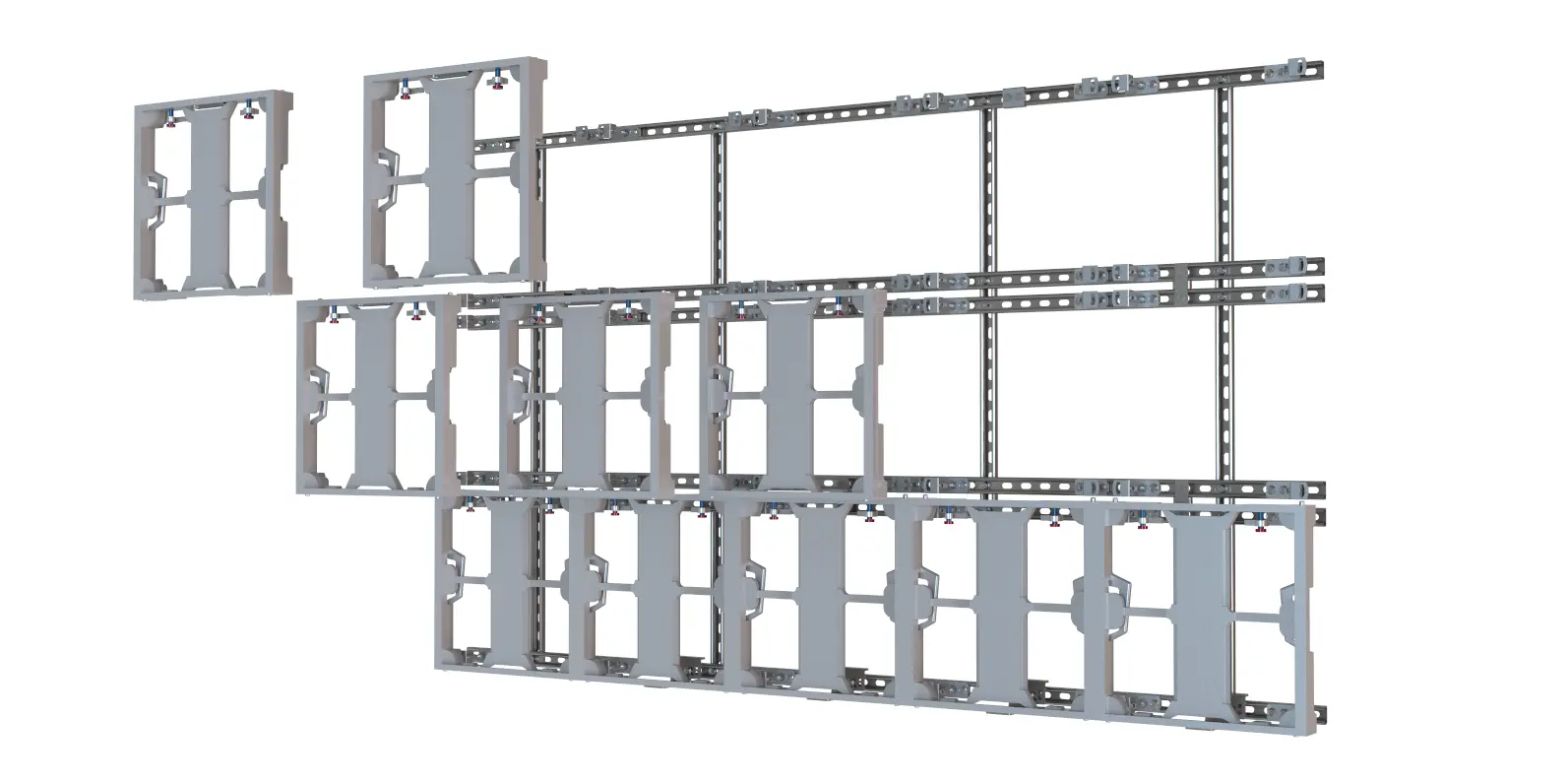
Adaptive Technologies Group’s StrutWall combines contractor-supplied strut with Adaptive mounting hardware. Provide the exact cabinet model and project requirements for a compatibility review; “front-access” alone does not establish suitability. Confirm environmental requirements and application limitations with Adaptive before specification.
For more background on the framing approach, read Why StrutWall Matters.
Prepare for a cabinet compatibility review
Bring the proposed cabinet manufacturer and model, drawings, array layout, installation setting and service-access questions. Clearly identify any details still undecided.
Explore StrutWall and request a project review through the existing inquiry flow. A configuration or quote request starts the conversation; it is not confirmation of cabinet compatibility or structural suitability. Contractor-supplied strut remains separate from the Adaptive hardware quote.
